Showing posts with label programming. Show all posts

Sunday, July 10, 2016

PluginPub - Publish your PhoneGap plugins to NPM

I was inspired by Sindre Sorhus package np which makes publishing a package to npm easy by running the following tasks automatically for you:


  • Ensures you are publishing from the master branch
  • Ensures the working directory is clean and that there are no unpulled changes
  • Reinstalls dependencies to ensure your project works with the latest dependency tree
  • Runs the tests
  • Bumps the version in package.json and npm-shrinkwrap.json (if present) and creates a git tag
  • Publishes the new version to npm, optionally under a dist-tag
  • Pushes commits and tags to GitHub
Now I'm in favour of anything that makes my life easier so I decided to take np and enhance it with some tasks I routinely do when publishing new plugins. My first pass at it is a new package called pluginpub which is a copy of np that I eventually hope to change to depend on np instead. 

The main difference is that it:

  • Bumps the version in plugin.xml, package.json and npm-shrinkwrap.json (if present) and creates a git tag
It now automates a lot of stuff I used to do manually into a single command. Installation is simple, you run:

npm install pluginpub --save-dev
In the root of your plugin repo. Then to release a new version of the plugin you would execute the command from the root of your plugin repo:

pluginpub 1.5.8
The command takes only one argument and that is the version of the plugin. If you don't pass in a valid semver then the command will fail.

Anyway, it make or may not be of use to you. Feel free to try it out and report any issues on the github page. Next steps are publishing a proper README and adding the auto-generation of a CHANGELOG file which is another manual step I hate doing when releasing a plugin.

Monday, June 27, 2016

Using ES2015 Code in Your PhoneGap Plugins

Everyone loves the new hotness of ES2015 features but sadly not all of the devices your app is going to run on are able to take advantage of all the features of ES2015. Luckily we can use Babel to transpile our ES2015 code into ES5 code that will run everywhere. This way we can write our plugin's JS using the new hotness but still run everywhere.

I've started working on a version of the PhoneGap Push Plugin in the es6 branch that uses ES2015 and what follows is a description of how I set it up.

Step 1: Add the necessary packages to package.json

We need to add Babel to our package.json so open the file and add the following lines.

  "devDependencies": {
    "babel-cli": "^6.10.1",
    "babel-core": "^6.10.4",
    "babel-preset-es2015": "^6.9.0"
  }
Then run the command:

npm install

Step 2: Create a .babelrc file

We'll have to tell babel how we want the code transpiled from ES2015 to ES5. So create a new file called .babelrc in the root of your plugin project and populate it with the following lines:

{
  "presets": [
    "es2015"
  ]
}

Step 3: Write your ES2015 code

I like to add a new directory under the src folder called src/js. It is in this folder that I like to keep my ES2015 compliant code.

Step 4: Transpile your code

Once your ES2015 code is written it is time to transpile it to ES2015 so you can publish to NPM and Github. For this open package.json and add a new line to the scripts section:

  "scripts": {
    "build": "babel src/js --out-dir www",
  }
Now if you run the command:

npm run build
You will find your transpiled code in the www folder of your plugin.

Step 5: Link to the ES5 code in plugin.xml

It is key that you don't actually deliver the ES2015 code as part of the plugin as you want to make sure your users are executing the ES5 version. To do that open plugin.xml and make sure that your js-module tag refers to code in the www directory like:

<js-module name="PushNotification" src="www/push.js">
  <clobbers target="PushNotification">
</clobbers></js-module>
and not:
<js-module name="PushNotification" src="js/src/push.js">
  <clobbers target="PushNotification">
</clobbers></js-module>
Bonus Material

If you are anything like me, writing ES2015 code is not quite second nature yet. In order to help me along I setup my project to be linted automatically.

Step 1: Add the necessary packages to package.json

We need to add ESLint to our package.json so open the file and add the following lines.

  "devDependencies": {
    "babel-eslint": "^6.1.0",
    "eslint": "^2.13.1",
    "eslint-config-airbnb": "^9.0.1",
    "eslint-plugin-import": "^1.9.2",
    "eslint-plugin-jsx-a11y": "^1.5.3",
    "eslint-plugin-react": "^5.2.2"
  }
Then run the command:

npm install

Step 2: Create a .eslintrc file

We'll have to tell ESLint how we want the code linted. So create a new file called .eslintrc in the root of your plugin project and populate it with the following lines:

{
  "extends": "airbnb",
  "parser": "babel-eslint",
  "ecmaFeatures": {
    "experimentalObjectRestSpread": true
  },
  "rules": {
    "spaced-comment": 0,
    "no-console": 0,
    "no-unused-expressions": [2, { "allowShortCircuit": true }]
  },
  "env": {
      "node": true,
      "mocha": true,
      "browser": true
  }
}
Step 3: Setup Your Editor

Not sure what editor you are using to write JS but I'm using Atom at the moment so I have installed the linter-eslint package which automatically picks up my .eslintrc file and lints my code on the fly.

Happy ES2015 coding everyone!

Tuesday, October 27, 2015

PhoneGap-Plugin-Push Version 1.4.0 Has Been Released

The latest release of the PushPlugin is now available on npm. This release is the long awaited release that is fully tested with iOS9. I was able to test on an iPhone 6+ running iOS 8.4.1, iPod Touch running iOS 9.0.2 and an iPad Air 2 running iOS 9.1.0. Please let me know if you run into any problems with this release.

On Android the switch over to using Gradle is now complete. The deprecated gcm.jar has been removed from the plugin and replaced with the Google Play Services GCM framework. Even better news is that PhoneGap Build now supports Gradle builds.

The big feature that people have been clamoring for is background or silent notifications. It is now possible for your 'notification' event handler to run when you app is in the background on iOS and Android (support for Windows coming soon).

1.4.0 (2015-10-27)

Full Changelog
Implemented enhancements:
  • Use Google's InstanceID API #188
Closed issues:
  • How to handle a re-installed app? #203
  • interactive push notifications? #266
  • Empty registrationId Android #265
  • Run callback when clicking of notification body #261
  • Android BUILD FAILED #251
  • Re-register #250
  • how to work in background ? #249
  • installing plugin #244
  • No Sound and vibration #242
  • Unable to build apk #241
  • still having problems with build. #239
  • Registering on iOS 9 #238
  • Custom sound repeated multiple times on Android #237
  • Android: status bar notification is not shown #236
  • Multiple Push Notifications - phonegap build #234
  • error: cannot find symbol String token = InstanceID.getInstance(getApplicationContext()).getToken(senderID, GCM); #231
  • Problem using "ledColor" and "VibrationPattern" #229
  • Notification event receive, but not notification showing on android #228
  • Events for registration not being fired #227
  • 'registration' event not firing on windows phone #224
  • Can i subscribe to a topic in using plugin? #219
  • GCMIntentService.java:472: error: cannot find symbol iconColor #217
  • Push Plugin registering on iOS 9 Devices but not showing Notification #216
  • Receiving a notification "outside app" while in it? #213
  • iOS push not working for device tokens when spaces removed #212
  • Error: Plugin PushPlugin failed to install. #210
  • Build error #205
  • Android push.on('registration', cb) fires correctly on device, but not in emulator. #204
  • 1.3.0 version not compatible with "crosswalk" by PGB #199
  • How to get data on didReceiveNotification Background Process #198
  • PushNotification is not defined in some devices #196
  • not getting notifications on the Android device #195
  • Installation Errors #186
  • IOS: on registration fired twice #185
  • Build failed with exit code 8 #184
  • iOS: Not able to schedule local notification after adding the plugin #183
  • How to show multiple notifications individually in android? #181
  • iOS init option type #180
  • Building for Android is a quest #179
  • How do i tell if the user open the app by tapping the notification? #176
  • IOS custom push sound when app is in background #175
  • Hi guys please post full working procedure, I'm not able to get registration id also. Please help #174
  • Has anyone tested this plugin on windows? #173

Monday, July 27, 2015

PhoneGap-Plugin-Push Version 1.1.1 Released!

Back during PhoneGap Day EU 2015 I announced our new PushPlugin with it's normalized API and a promise of continued support. With the release of the 1.1.1 version of the plugin we continue to fulfill that promise with some new features and bug fixes.

The most exciting new feature in this release is official support for the Windows platform! This is thanks to the wonderful team at Microsoft who contributed to the plugin to make it happen. Special thanks to Raghav Katyal and Nikhi Khandelwal!

On the Android side of things you now have way more options on how to set what icon is displayed with your push notifications:


Check out the plugin's README for more details on how to setup the each of the image types.

Full Changelog
Implemented enhancements:
  • iOS doesn't add foreground key #41
  • Android: Notification icon problem #20
  • iOS badge number #18
  • How i can set icons for push notifications in status bar and push view in android #14
  • Support Win8.1 + Phone 8.1 Universal Apps (WNS), drop support for WP8.0 (MPNS) #13
Fixed bugs:
  • iOS only reads out "aps" payload #29
  • Event not fired when in background #24
  • Custom notification sound in background mode? #17
Closed issues:
  • iOS only receives first notification in foreground #42
  • Cannot register on iOS #30
  • Fix Android paths in src folder #23
  • PushNotification not defined #21
  • Error trying to remove the plugin #19
  • Handling multiple notifications on Android devices #12
  • PGB (build.phonegap.com) problem #11
  • reporting location via gcm #6
Merged pull requests:

Friday, June 19, 2015

Including Plugins with Cordova Command Line Interface 5

You may have noticed that things have changed up a bit as of Cordova CLI 5.0.0 release. Specifically, we are now encouraging the the use of <plugin> tags in your config.xml file over the previously used <feature> tags.

You may be wondering why you should use the <plugin> tag. The main reason is that when you use the <plugin> tag it will fetch and install the plugin for you during the cordova prepare phase of building your project.

So if you have the following feature tags in your current config.xml:
<feature name="org.apache.cordova.file">
    <param name="id" value="org.apache.cordova.file@1.0.1"/>
</feature>
<feature name="org.apache.cordova.file-transfer">
    <param name="id" value="org.apache.cordova.file-transfer@0.4.2"/>
</feature>
<feature name="org.apache.cordova.device">
    <param name="id" value="org.apache.cordova.device@0.2.8"/>
</feature>
<feature name="com.telerik.plugins.nativepagetransitions">
    <param name="id" value="https://github.com/Telerik-Verified-Plugins/NativePageTransitions#0.2.11"/>
</feature>
<feature name="com.phonegap.plugins.pushplugin">
    <param name="id" value="https://github.com/phonegap-build/PushPlugin#1979d972b6ab37e28cf2077bc7ebfe706cc4dacd"/>
</feature>
Then you'd just replace it with:
<plugin name="cordova-plugin-file" spec="^2.0.0" />
<plugin name="cordova-plugin-file-transfer" spec="^1.0.0" />
<plugin name="cordova-plugin-device" spec="^1.0.0" />
<plugin name="com.telerik.plugins.nativepagetransitions" spec="https://github.com/Telerik-Verified-Plugins/NativePageTransitions#0.2.11" />
<plugin name="com.phonegap.plugins.pushplugin" spec="https://github.com/phonegap-build/PushPlugin#1979d972b6ab37e28cf2077bc7ebfe706cc4dacd" />
You may have noticed that the package ID for org.apache.cordova.file has changed to cordova-plugin-file. The is part of the way plugins are now hosted on npm. You'll notice that all the core plugins (org.apache.cordova) have been renamed (see table below).

For non-core plugins you can still download them from a git repository. In order to specify a specific version you use #versionNumber for example, NativePageTransistion above or to download from a specific commit use #commitHash for example, PushPlugin above.

Old ID NPM ID
org.apache.cordova.battery-status cordova-plugin-battery-status
org.apache.cordova.camera cordova-plugin-camera
org.apache.cordova.contacts cordova-plugin-contacts
org.apache.cordova.device cordova-plugin-device
org.apache.cordova.device-motion cordova-plugin-device-motion
org.apache.cordova.device-orientation cordova-plugin-device-orientation
org.apache.cordova.dialogs cordova-plugin-dialogs
org.apache.cordova.file cordova-plugin-file
org.apache.cordova.file-transfer cordova-plugin-file-transfer
org.apache.cordova.geolocation cordova-plugin-geolocation
org.apache.cordova.globalization cordova-plugin-globalization
org.apache.cordova.inappbrowser cordova-plugin-inappbrowser
org.apache.cordova.media-capture cordova-plugin-media-capture
org.apache.cordova.media cordova-plugin-media
org.apache.cordova.network-information cordova-plugin-network-information
org.apache.cordova.splashscreen cordova-plugin-splashscreen
org.apache.cordova.statusbar cordova-plugin-statusbar
org.apache.cordova.whitelist cordova-plugin-whitelist
org.apache.cordova.vibration cordova-plugin-vibration

Wednesday, June 10, 2015

Video of PhoneGap Day EU 2015 - Push N' Pull Presentation

The video for my Push N' Pull presentation is now available.


If you want to get a copy of the slides please check out my previous post.

Monday, May 19, 2014

ChromeCast Presentations

Over the past couple of months I did a couple of ChromeCast presentations on Sender apps and Receiver apps at Ottawa JS. The presentations don't have much extra content than what you would get on the main Google ChromeCast site but it was a great excuse for me to play around with the SDK. I love my ChromeCast and I'd love to program a game for it sometime when I can generate some free time.

Monday, April 7, 2014

Comic Covers Now Supports DC Comics

My extension to Muzei called Comic Cover now supports DC covers. You can now select Marvel, DC or all under the customization section.


Let me know what comic company I should target next in the comics.

Tuesday, February 25, 2014

Introducing Comic Cover Muzei

If you own an Android phone you should know about the wonderful new live wallpaper app, Muzei coded by Roman Nurik. I was hooked on it from day one. You see Muzei automatically downloads and sets a new wallpaper image for you every day. By default the app will download art curated by Roman's fiancée. The first image it showed was van Gogh "The Starry Night" which is one of my favourite paintings and I'm getting a chance to see it at MOMA this summer but I digress.

After I downloaded the app I was reminded of a blog post by my buddy Raymond Camden. In the post on the Marvel Comic's API, Ray shows how to query the Marvel database and display covers. So I decided to combine chocolate and peanut butter into one awesome combination.

The Muzei app provides a way to write an extension to provide a new data source. So what I've done is to create an extension that randomly picks a Marvel Comic book cover and sets it as your wallpaper. It's called Comic Cover Muzei.


Select the data source


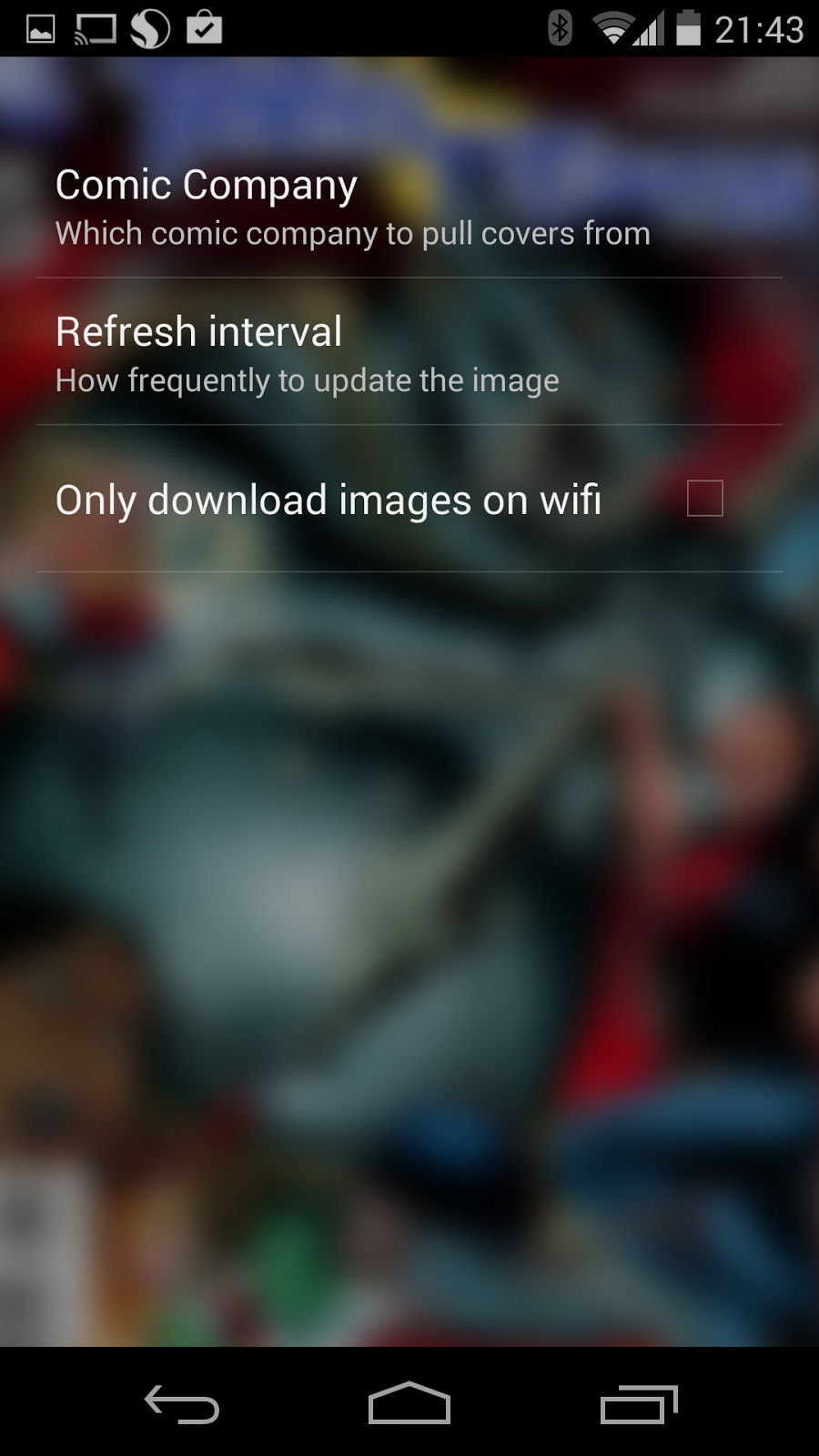
Set your options


Enjoy your art

Right now you can set an option to only download the images over wifi if you are worried about bandwidth usage and you can set the refresh interval from 3 to 24 hours. I've got plans to add more options to allow you to pick the character or series to pull the images from. 

Also, right now the app only uses Marvel Comic covers but I'd love to add other companies like DC, Image, etc.


Sunday, November 24, 2013

Three Things That Tripped Me Up This Week

I've had a pretty productive week at work but here are three things that tripped me up this week. I'm putting them down in blog post format so that I'll remember them and maybe they'll help you as well.

1) Concurrent Modification Exception

So I was working on some code where I needed to loop through a collection of users and remove one when it meets a certain criteria. Which I coded up as:

        List users = um.getUsers();
        
        for (User user : users) {
            if (user.isAnAss()) {
                users.remove(user);
            }            
        }

Do you see the problem? No, neither did I as I wasn't thinking and luckily enough for most of my test runs the user who isAnAss was at the end of the List so the exception wasn't throw. When the isAnAss user was in the middle of the list BOOM! ConcurrentModificationException.

To get around this problem I ended up doing an old school iteration through the list.

        List users = um.getUsers();
        
        User user = null;
        for (int i = 0; i < users.size(); i++) {
            user = users.get(i);
            if (user.isAnAss()) {
                users.remove(user);
            }            
        }

2) Relative Layouts in Android are Slow for Complex Layout

I've been working on a lot of complex layouts for an Android app I'm working on and I was using the RelativeLayout judiciously. One of my dialogs was taking quite awhile to load and doing some profiling I determined it to be the measure method for the RelativeLayout was being called many, many times. Switching to a LinearLayout helped reduce these calls.

Romain Guy recently posted a slide deck on how RelativeLayout's are getting better in Android 4.4 and here is a video or Romain and Adam Powell talking about writing custom Android views.


3) Android's Handling of Images Sucks

It just sucks so hard. I was doing some performance tuning of one of our dialogs and found that about 90% of the time it was taking before being show was loading the three images it was using. Cache those images folks, doesn't matter how small they are.

Monday, October 7, 2013

My PhoneGap Day US Talk on Speech Recognition

Back in July I went out to Portland to talk at PhoneGap Day US. The video has just become available so I figured I would post it up here. The talk I did at PhoneGap Day EU is very similar to this one with a bit of updated information and mostly new jokes.


Wednesday, September 4, 2013

My SpeechShim for Desktop Development of Speech Recognition and TTS Apps

So I've been working on some plugins for PhoneGap to enable people to develop their apps with Speech Recognition and Text to Speech functionality. I've been following this specification and while it isn't on track to be adopted by the W3C anytime soon it does have two big benefits:

1) The speech recognition bit is already available in Chrome.
2) The specification is "sane". I guess it helps when only a couple of people are credited as authors instead of a committee.

One of the things that has been bugging me for awhile is the inability to develop these type of apps on the desktop using the same API. Yes, as I said above the speech rec bit is available in Chrome but the objects have the "webkit" prefix and there is not TTS support. So during one of the Ottawa Ruby project nights I set out to write a shim that would give everyone the ability to use the same API that will be available from the PhoneGap plugins on their desktop.

Basically that is what SpeechShim is in a nutshell. When you add speechshim.js into your web app you will be able to access the "SpeechRecogntion" object instead of needing to prefix it like "webkitSpeechRecognition". As well if you combine it with the speak.js project the speechshim.js code will add the methods necessary so you can use the SpeechSynthesis interface.

To get up and running you will need:
  1. A copy of Google Chrome version 29 or higher.
  2. A copy of the speak.js project from github.
  3. A copy of my speechshim.js from github.
Here's an example HTML page:


and you can run the live demo here. It's nothing fancy. Just click the big button then say something. It should get updated under the button and you will hear it spoken out by the TTS. More on plugin availability for PhoneGap is coming soon.


Thursday, July 25, 2013

PhoneGap Day US 2013 Recap

Why, weren't you there? Seriously, what's stopped you? This conference is so great and so cheap that if you are anywhere near Portland, Oregon you need to go. Even if you aren't near Portland you need to convince your boss to send you to the conference.

What's the number one reason to attend PhoneGap Day? Timing, no wait the community. The community really comes out for this conference. I can't think of another conference I've attended where you can meet so many committers. If you were there you could have met all those people you see fixing bugs on JIRA and checking code into GIT.

Beyond the committers there were lots of folks who are building real applications with PhoneGap and they are there for you to talk with, network and generally pick their brains.

There were a lot of great presentations this year but if I was going to single out three they'd be Andy Trice's PhoneGap+Hardware, Michael Brooks super slick PhoneGap Command Line demo/presentation (I only wish I was that smooth) and finally Lyza Danger Gardner's deck on PhoneGap Self-Defense for Web Devs. That one was jam packed with things web devs should know before diving into PhoneGap.

I was sweating my talk a bit before heading up on stage. I was about to give a speech recognition demo on a stage in front of 250 people. There were so many things that could have gone wrong like the (network, crowd volume) and one thing did. For some reason my MBP would not mirror the displays so either I could see the presentation or the audience could. Luckily, as a former boy scout, I was prepared. I was hosting my presentation on Dropbox so I was able to slide over to Tommy-Carlos Williams laptop to do my demo without holding up the show. Thanks again Tommy!

Sacrificing my laptop to the demo gods seemed to appease them and the rest of my presentation went off pretty well with only one unintentionally funny moment. People seemed to have liked it which I was happy about. You can download a PDF version of the presentation but it plays much better as a live demo.

All of these presentation videos will be available soon. In fact when mine is up I'll be posting it here. As well I'm lagging behind posting my source code but I'm kinda busy with some other commitments I'll talk about on a later date.

Beyond catching up with all of the other PhoneGap committers it was a great conference for meeting folks I internet knew, In Real Life. Besides the afore mentioned Tommy-Carlos Williams who shocked me by not having an Australian accent, he is USA born, I got to meet my co-worker Marcel Kinard for the first time. Both Marcel and I work at IBM where he is managing IBM's contributions to the PhoneGap/Cordova code base. Finally I got to know Jim Cowart of Icenium pretty well over the conference. Jim's done a great write up of the conference himself.

Honestly, I will carry to my grave the memory of the taste of Griddled Bacon Wrapped Date with warm honey from Tora Bravo. Jim, Marcel, Burin and I went there after the first day of the conference and we were all blown away with how good the food was. I guess it is not a secret but Portland is a great city for foodies.

Finally I will leave you with this over the shoulder video of me playing Galaga at Ground Kontrol the amazing barcade (bar + arcade) courtesy of Jim.

Wednesday, July 3, 2013

Backup, Remove and Restore your Contacts using PhoneGap

A couple of people have had questions on how to do this recently so I thought I would do a write up on it. As well, it illustrates how you avoid using loops with asynchronous code. Although for an even better explanation of that topic you'll want to read Item 64: Use Recursion for Asynchronous Loops from David Herman's book, Effective JavaScript. Chapter 7 on Concurrency is worth the purchase price of the book but I digress...

First a warning. Try all the code out on an emulator first. The methods below will completely wipe the contacts from your device so you'll want to make sure the backup step works first before continuing. You've been warned!

Anyway, if you want to backup the contacts on your device to a file you'd use the following process:
  1. Find all the contacts
  2. Request a file system object
  3. Create a FileEntry object
  4. Create a FileWriter
  5. Write the JSON data to file
The code in which to accomplish those tasks is as follows: Once you see the "backup complete" message in the console you'll have a file called "contacts.bak" in the root directory of your file system. For Android users that will probably be /sdcard and for iOS, etc. it would be in the applications sandbox. If you take a look at the file you will see something like this: If you are seeing what looks like your complete contact database in text format then you are ready to proceed.

Next we will delete all the contacts on the device. The steps are:
  1. Find all the contacts
  2. Recurse through the contacts deleting one at a time.
The code looks like:

This might look a little bit weird at first glance but trust me it'll make sense. You'll notice in deleteAllTheContacts the first thing we do is to create a local function called deleteContacts. This is the method that will actually remove the contacts from the device. Then after the definition of deleteContacts we call navigator.contacts.find(). This call will get an array of all the contacts on the device and call it's success function which is deleteContacts.

Now in deleteContacts we do a check to see if the length of the contacts array is zero. If it is zero then we are done, there are no more contacts left to be deleted. If the contact array length is greater than zero we have more work to do. We'll pop the next Contact object off of the contacts array, which reduces the size of the array by one and we'll call the remove method of the Contact object. The success call back for remove method is the deleteContacts method. Keep reading this paragraph until all of your contacts have been deleted. Boom recursion.

But wait, you are wondering how could this possibly work. Your thinking I've got 7 quintillion contacts and there is no way the call stack can support that many recursive calls. Ah, but you are forgetting that asynchronous calls return immediately so they never eat up the call stack. If you tried doing this with a for loop you would blow up the call stack causing your program to crash if you had enough contacts and even if you didn't kill your app how would you know when all of those async calls to remove were complete without doing a lot of JavaScript gymnastics. Just use the recursion approach.

Finally you'll want to be able to restore the contacts you've previously saved to file. I've broken it down into two separate methods to make it easier to read:
  1. Request local file system
  2. Get the FileEntry
  3. Request the File object
  4. Read the data and parse it to JSON
  5. Recurse through all the contacts and save them to the device

This is pretty much just unrolling the two previous steps of backing up and deleting the contacts. If you've gotten this far you should be able to understand what is going on. Although there are two lines I want to draw your attention to:
contactData.id = null;
contactData.rawId = null;
What I'm doing here is removing the unique ID's from the contact. If you skip this step you will signal the API that you are attempting to modify an existing contact and the save will most probably fail. Hopefully this helps a bunch of folks.

Tuesday, June 11, 2013

A Couple of Good Google Apps Scripts

Here are a couple of good Google Apps Scripts I've run into last week. The first script I saw on Lifehacker. It converts a Google Doc to markdown. It is a great way to create a README.md for GitHub. The second is from Pamela Fox which converts a Google Speadsheet to JSON data. Great way to create sample JSON data for your app.

Sunday, June 2, 2013

Why Don't My Plugins Work in PhoneGap Android 2.7?

Well it's pretty simple, the Plugin class which has been deprecated for awhile has been removed from the package and should be replaced with CordovaPlugin.

I'm going to go through the steps needed to upgrade your old style plugins to the new style. For this example I'm going to use the Google Analytics plugin.

The first thing you will notice in 2.7.0+ is that the GoogleAnalyticsTracker class now has 4 errors in Eclipse. To get rid of them you would change:


import org.apache.cordova.api.Plugin;

into:

import org.apache.cordova.api.CordovaPlugin;

and:

public class GoogleAnalyticsTracker extends Plugin {

to:

public class GoogleAnalyticsTracker extends CordovaPlugin {

and now you'll notice you only have one error left in the file and that has to do with the execute method. You'll need to change the method signature from:

public PluginResult execute(String action, JSONArray data, String callbackId) {

to:

public boolean execute(String action, JSONArray data, CallbackContext callbackContext) {

then you need to add a new import line at the top of the Java file:


import org.apache.cordova.api.CallbackContext;

and we still have one error which is now the line in which we are returning the PluginResult. That's because the method now expect a boolean to be the return value. To fix this issue you would replace:

return result;

with:

callbackContext.sendPluginResult(result);
return true;

Finally our Java code is free of error messages. Whew, were done but what's with the change to the execute method? Well let's just say there have been improvements in the way the Plugins are handled internally. What you need to know is that when you want to send a result back to the JavaScript side you now have a choice of three methods:

1) callbackContext.sendPluginResult(...)

Use this if you have constructed your own PluginResult and you want to send it to the JavaScript side.

2) callbackContext.error(int | String | JSONObject) 

Skip creating a PluginResult and just invoke the error callback on the JavaScript side sending back an int, a String or a JSONObject as the method payload.

3) callbackContext.success(empty | int | String | JSONObject | JSONArray)

Again, just skip creating the PluginResult and invoke the success callback on the JavaScript side sending back an int, a String, JSONObject or JSONArray as the method payload. If you don't provide any payload the method on the JS side will be executed with no payload.

So that should get you unstuck if you have a Plugin that no longer works for you as of PhoneGap 2.7.0. You should also check out my posts on the GalleryPlugin as shows how to write a Plugin using the new API for JS and Java.

IMPORTANT UPDATE!!!

We've heard your screams of pain and we are putting the Plugin class back for PhoneGap 2.8.1. Go read Joe Bowser's post. The class is back in 2.8.1 and will be in 2.9.0 then gone for good in the 3.0.0 stream!


Monday, May 13, 2013

The Ottawa City Councillor PhoneGap app

So a couple of friends of mine wanted to learn more about programming mobile applications so we decided to get together and create an application for the Apps4Ottawa competition.

We settled on creating an application that would enable folks from Ottawa to learn more about and connect with their city councillors. Sadly, I didn't even know who my city councillor was until I started working on this app.

It uses the open data Ottawa to get the city councillor information and it the Open North API to do reverse geocoding to turn your GPS co-ordinates into the correct ward.

Currently the app is available on the Google Play store and we are going through the process of getting approval for the app on the Apple store.

PhoneGap was definitely the way to go with this project. We developed pretty much in Android then when we were ready to release a version of the app we just compiled it in Xcode and it just worked. The only thing we changed were the break points for the CSS media queries to deal with the different iPhone screen sizes. Support for Windows 8 and BlackBerry 10 are also coming as we have time.

I'm going to write up a post later in the week to talk about some of the micro libraries we used in order to accelerate development.

Please give the app a try and let me know what you think of it and what can be done better. If you are so inclined we wouldn't mind a vote or two in the app in the Apps4Ottawa competition.

Monday, March 4, 2013

PhoneGap Bluetooth Plugin Updated

So the Bluetooth plugin was horribly out of date so I took some time to update it to work with PhoneGap 2.2.0 and higher. As well as the usual updates to the JS and Java code I fixed an instance in the "listDevices" call which would block code execution for 10 seconds while it scanned for devices.

Anyway, if you need Bluetooth functionality the plugin provides the following method:

  • listDevices
  • isBTEnabled
  • enableBT
  • disableBT
  • pairBT
  • unPairBT
  • listBoundDevices
  • stopDiscovering
  • isBound
Enjoy!

Update: Oh by the Hoary Hosts of Hogarth! I should mention that I didn't originate this plugin, I just saw the need for it to be updated. All credit should go the original authors: Daniel Tizón, Idoia Olalde and Iñigo González

Thursday, February 28, 2013

What's New in PhoneGap Android 2.5.0

Well PhoneGap Android 2.5.0 is out! There isn't much to get excited about on Android in this release as it is mostly bug fixes. Check out the full list of commits in the CHANGELOG. Fixes include:

  • Fixing a null pointer exception when the user clicks the back button while the app is starting.
  • Enabling the application cache.
  • New configuration parameter "disallowOverscroll" to remove that blue glow when you try to scroll past the top/bottom of the screen.
  • Enabled geolocation in the InAppBrowser.

However, something I can get excited about is that in the past month we've seen 8 new committers to the Android project. Yup, 8 new coders contributed their time to cordova-android which I think is a great sign of the health of the project.

Monday, February 18, 2013

PhoneGap Android XhrFileReader

The FileReader API works great as long as the file you want to read is on the device's file system. However if you want to read a file you've packed in the Android assets folder you would need to use XHR to read the file. I'm providing an interface that follows the same API as the regular FileReader. Of course the XhrFileReader is not limited to only reading files from the assets folder, it can also read files from the file system and over HTTP.

Adding the plugin to your project 

To install the plugin, move XhrFileReader.js to your project's www folder and include a reference to it in your html files.

Using the plugin 

To instantiate a new reader use the folling code:
var reader = cordova.require("cordova/plugin/xhrfilereader"); 
Setup your event handlers:
// called once the reader begins
reader.onloadstart = function() {
    console.log("load start");
};
// called when the file has been completely read
reader.onloadend = function(evt) {
    console.log("File read");
    console.log(evt.target.result);
}; 
Unfortunately, you will only get an error on files read over HTTP. When you specify a file:// path the request status is always 0. There is no way to tell between a successful read or an error. So if you specify a file that does not exist like "file:///does.not.exist.txt" you will get an empty evt.target.result in your onloadend handler.
// called if the reader encounters an error
reader.onerror = function(error) {
    console.log("Error: " + error.code);
}; 
Progress events are fired but are not very useful as they don't contain partial results.
// called while the file is being read
reader.onprogress = function(evt) {
    console.log("progress");
}; 
Finally call your read method, for instance:
reader.readAsText("http://www.google.com"); reader.readAsText("file:///android_asset/www/config.json"); reader.readAsText("file:///sdcard/error.log");
and that's about it. Obviously, this plugin is most useful when you need to read a text file from the assets folder.